Cloudflare Workers
You can use Phase to sync secrets with your Cloudflare Workers.
When secret syncing is enabled, secrets stored inside Phase will be treated as the source of truth. Any secrets on the target service will be overwritten or deleted. Please import your secrets into Phase before continuing.
Prerequisites
- Sign up for the Phase Console and create an App.
- Enable Server-side Encryption (SSE) for the App from the Settings tab.
For security reasons Phase sets the secret type in Cloudflare Workers
environment variables as type Encrypted for additional protection. This
means that you will not be able to see the secret value in the Cloudflare
Workers UI. You can still use the secret in your build commands and environment
variables.
Step 1: Authentication
Get your Cloudflare Account ID
-
Log into the Cloudflare dashboard
-
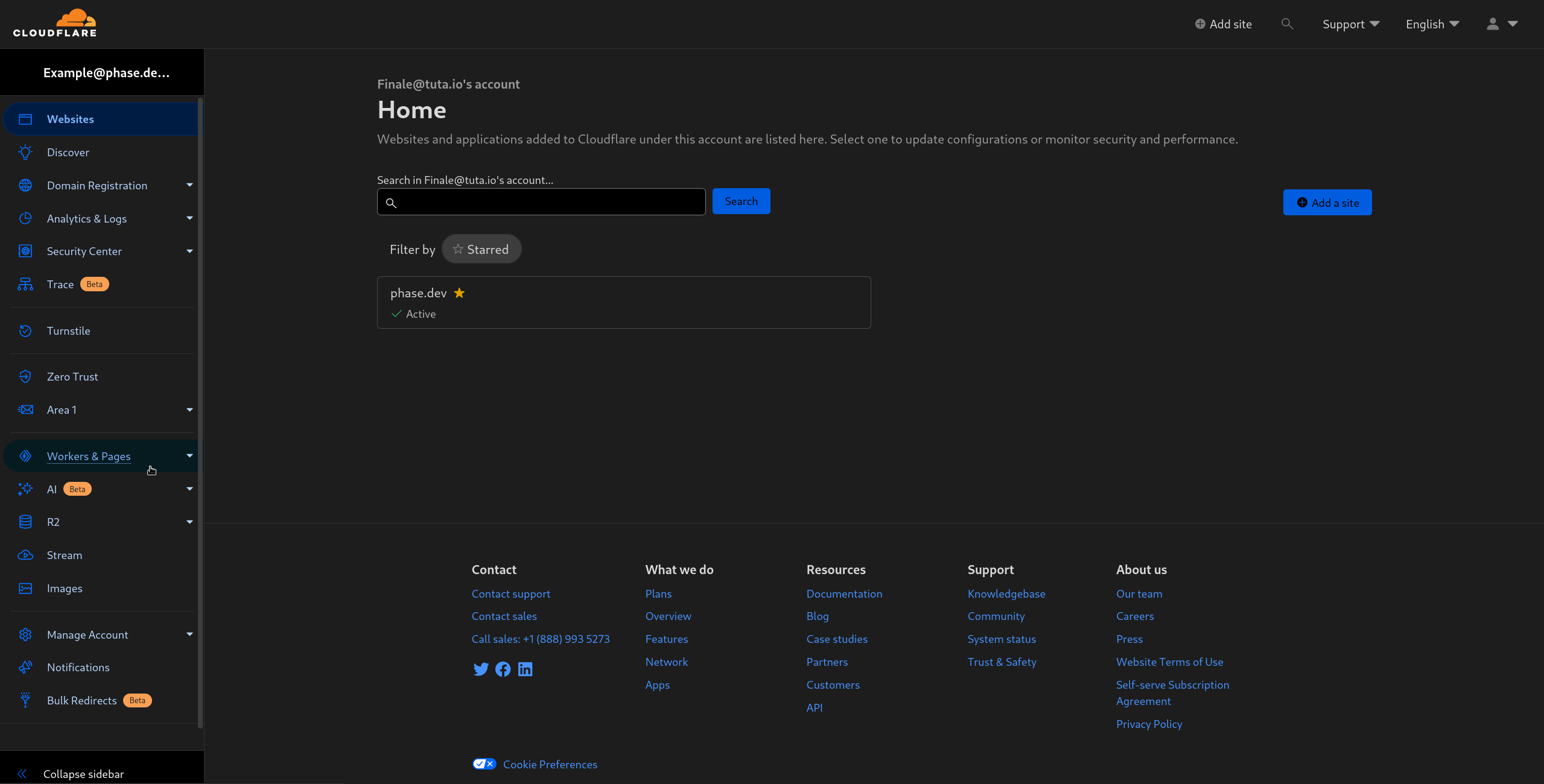
Click on Workers & Pages in the sidebar to the left.
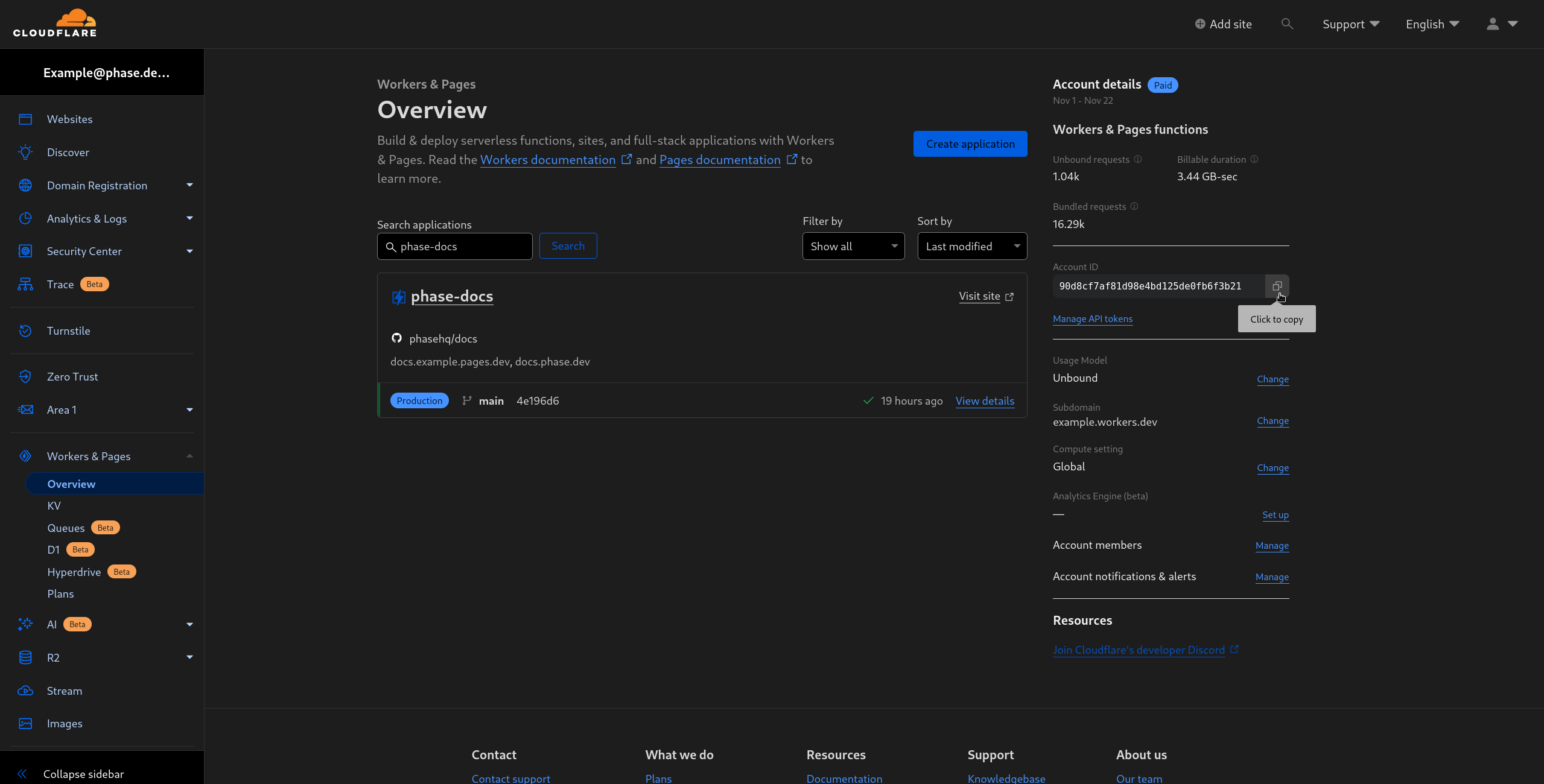
- Copy the Account ID by clicking on the copy button in the Account Details section on the right.
Create a Cloudflare Token
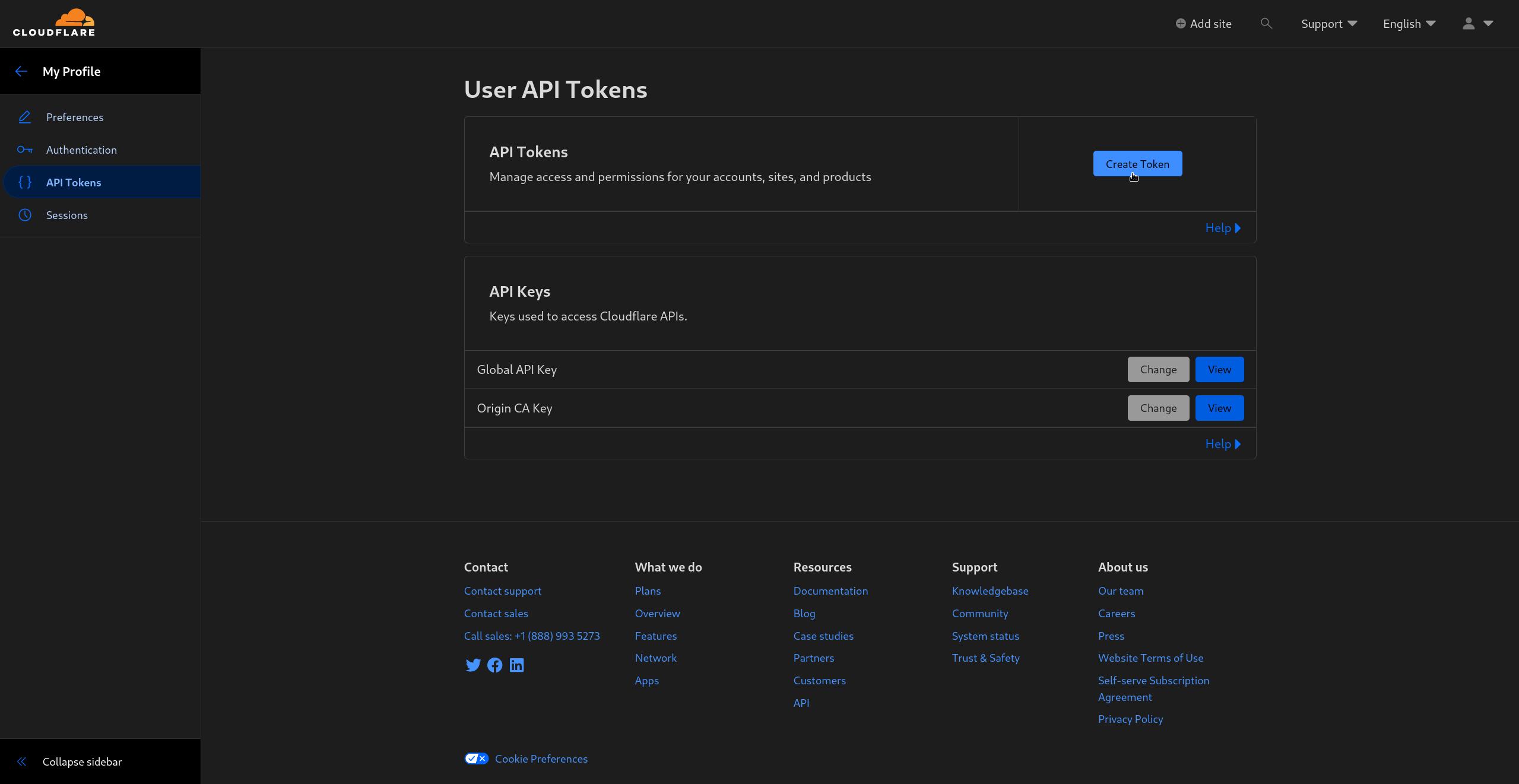
- Go to Cloudflare's API tokens page and click on Create Token
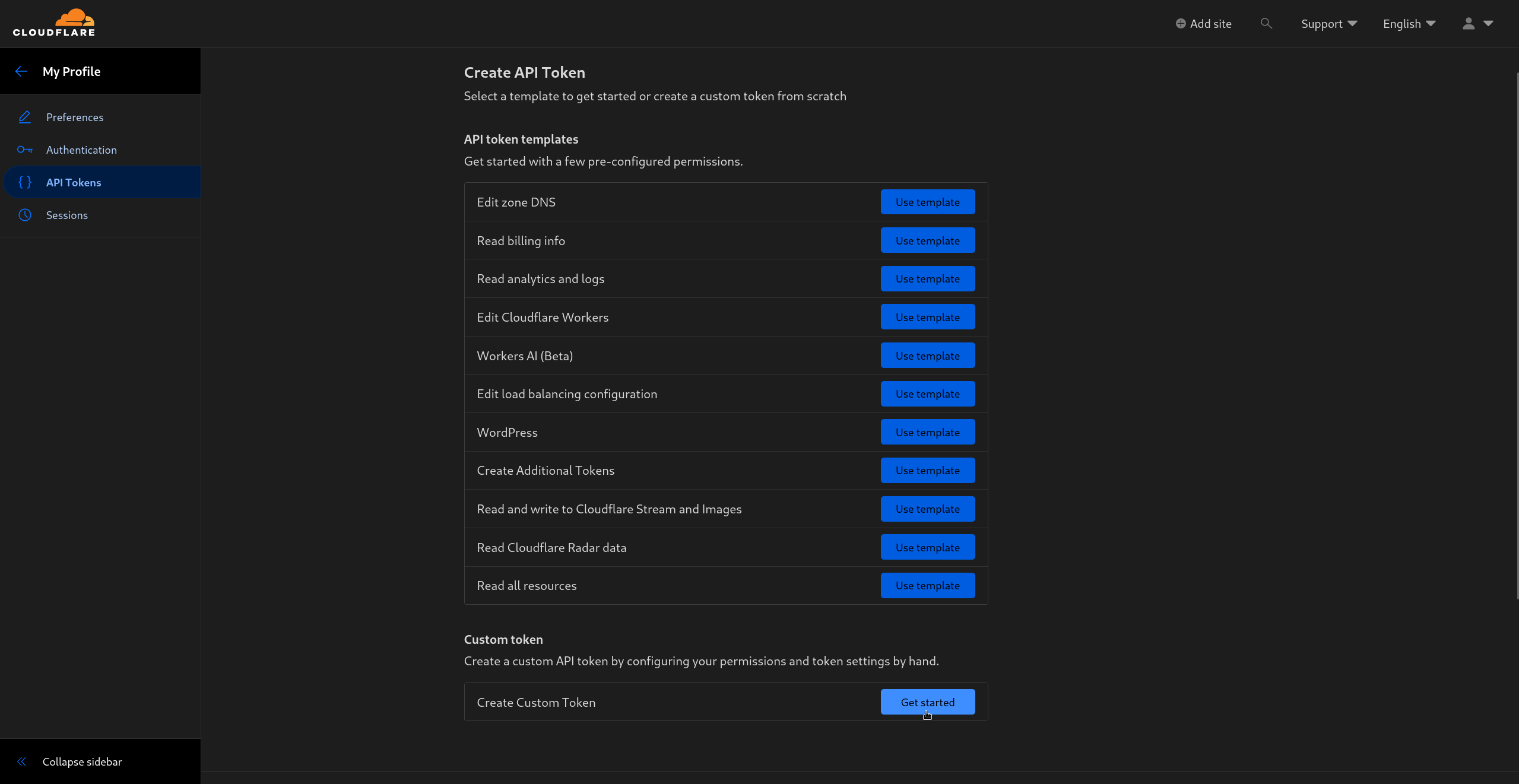
- In the Create API Tokens page, create a Custom Token by clicking on Get started in the Custom token section.
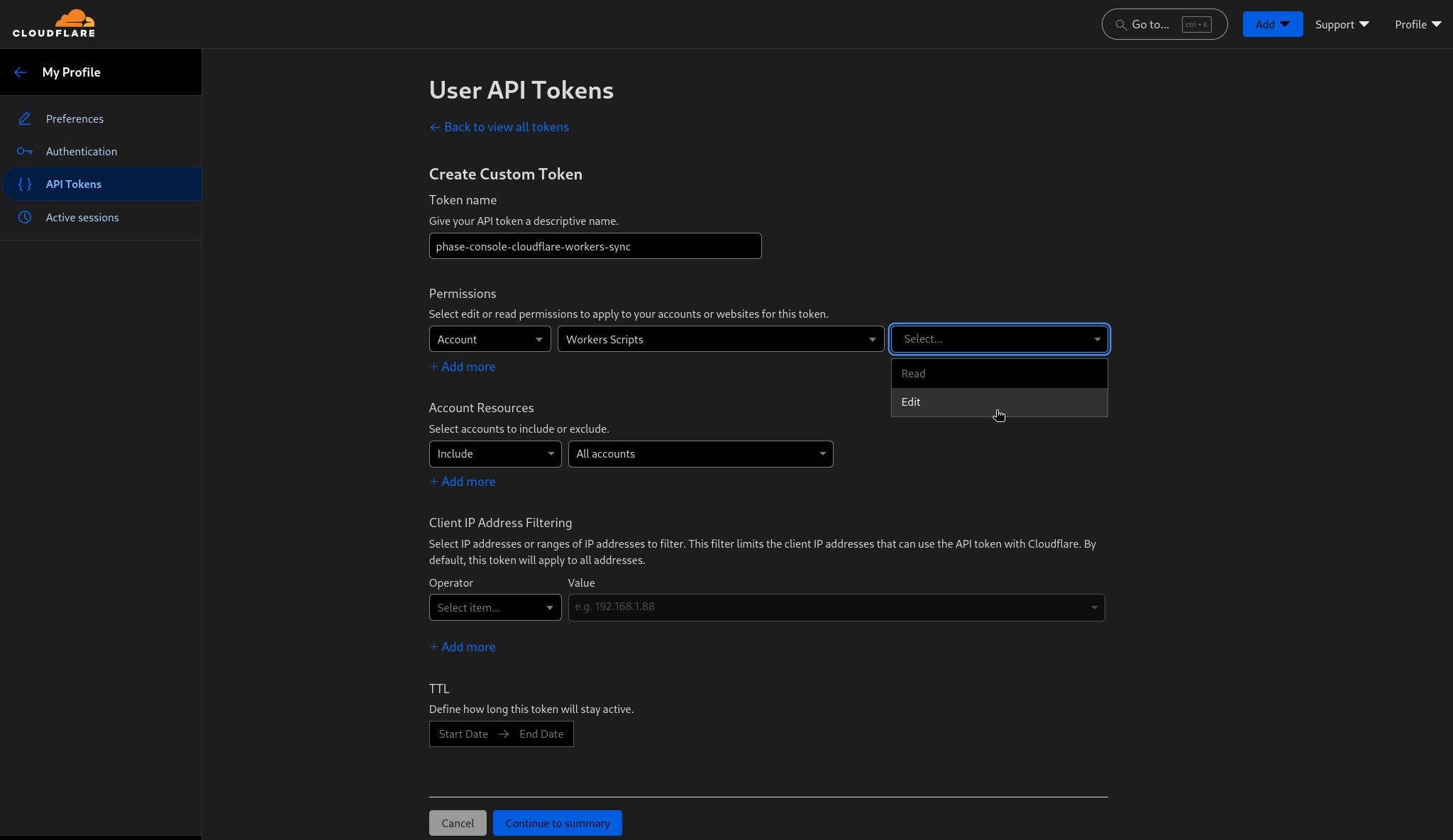
- Give your token a descriptive name and give it Edit access to **Worker Scripts ** like in the screen below:
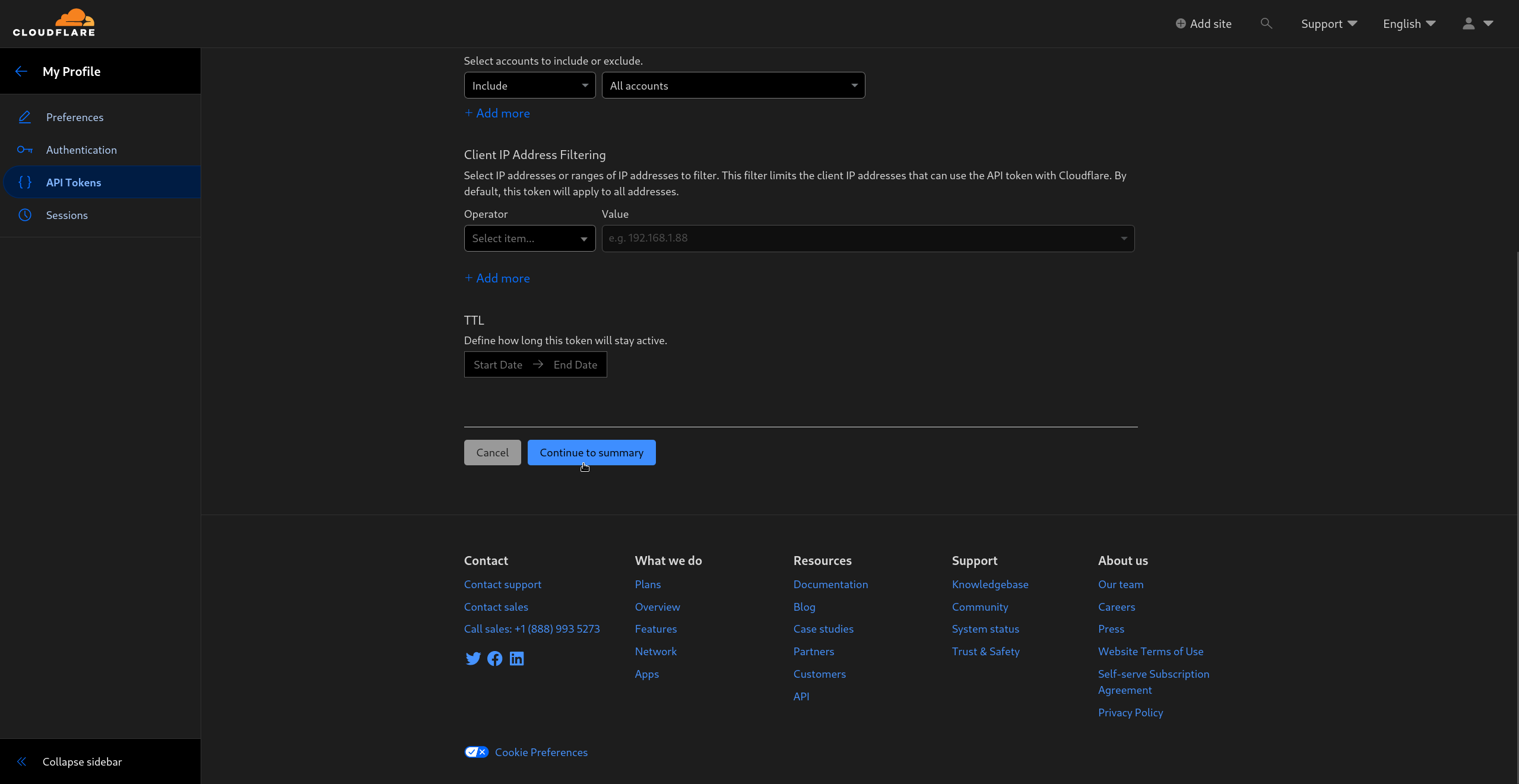
Scroll down and click Continue to summary
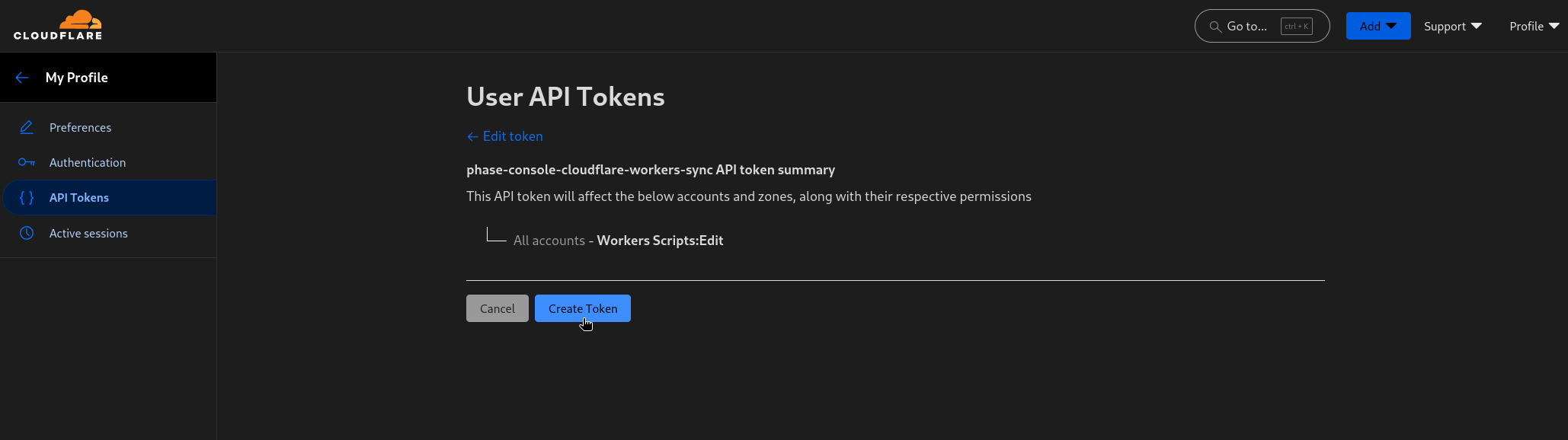
- Confirm the permissions and create the token by clicking on Create token
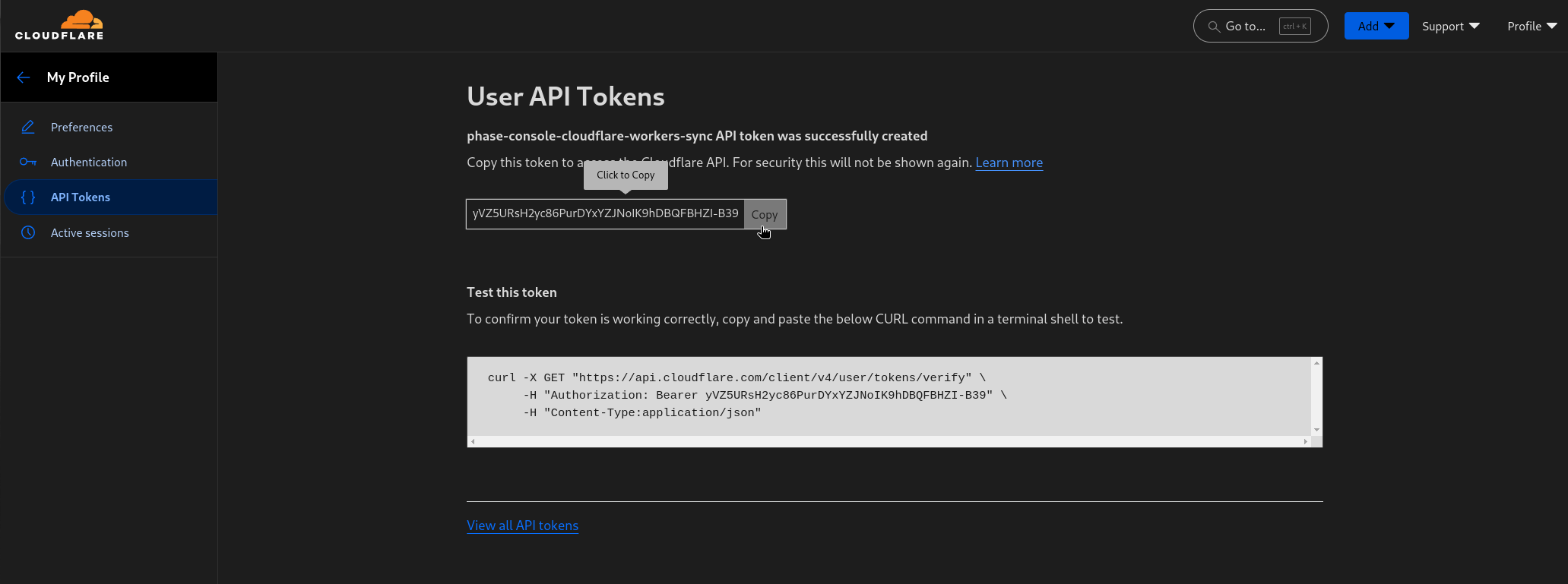
Step 2: Sync Secrets from Phase
Now that you have set up your Cloudflare account with Phase, you can start creating Syncs to manage your Cloudflare Workers.
Create Sync
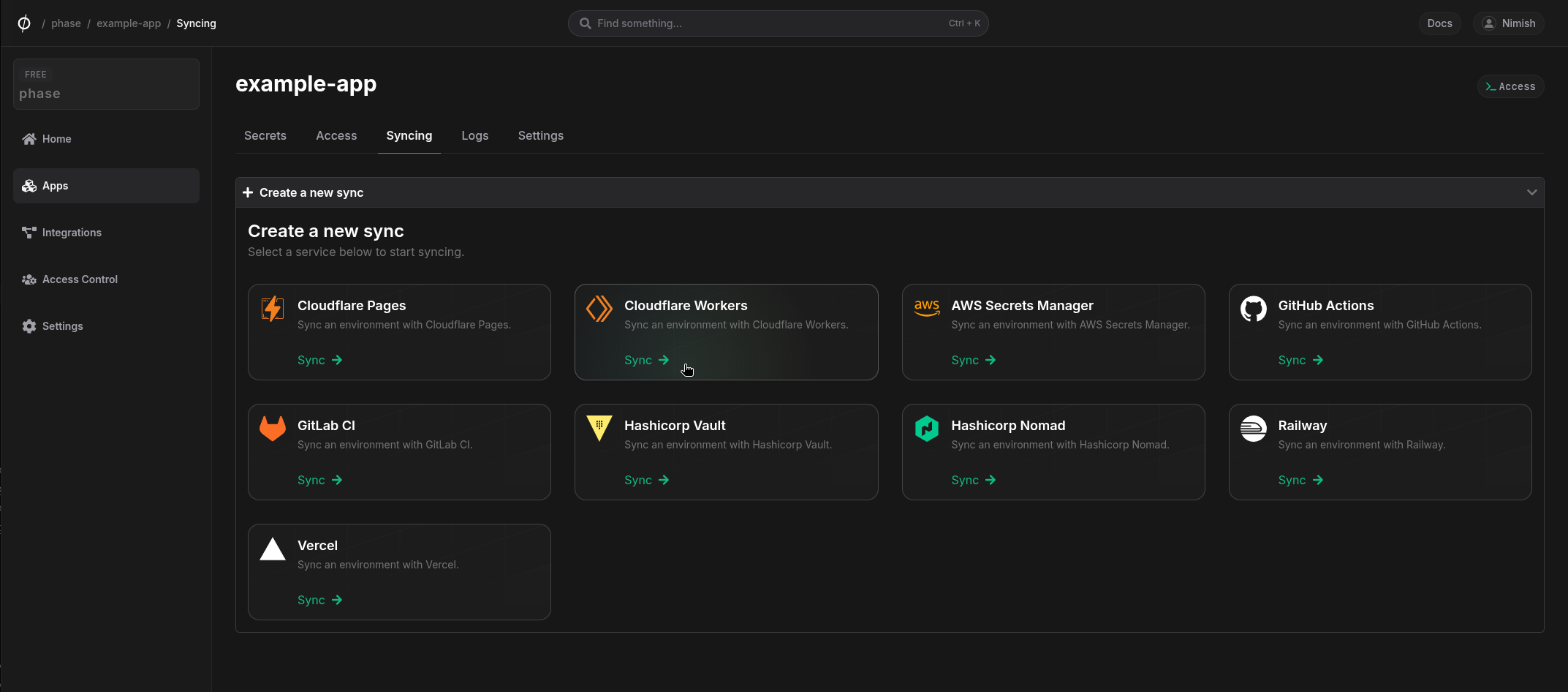
- Select Cloudflare Workers under the 'Syncing' tab.
- Select the credentials stored in the previous step as the authentication method for this sync, and click Next
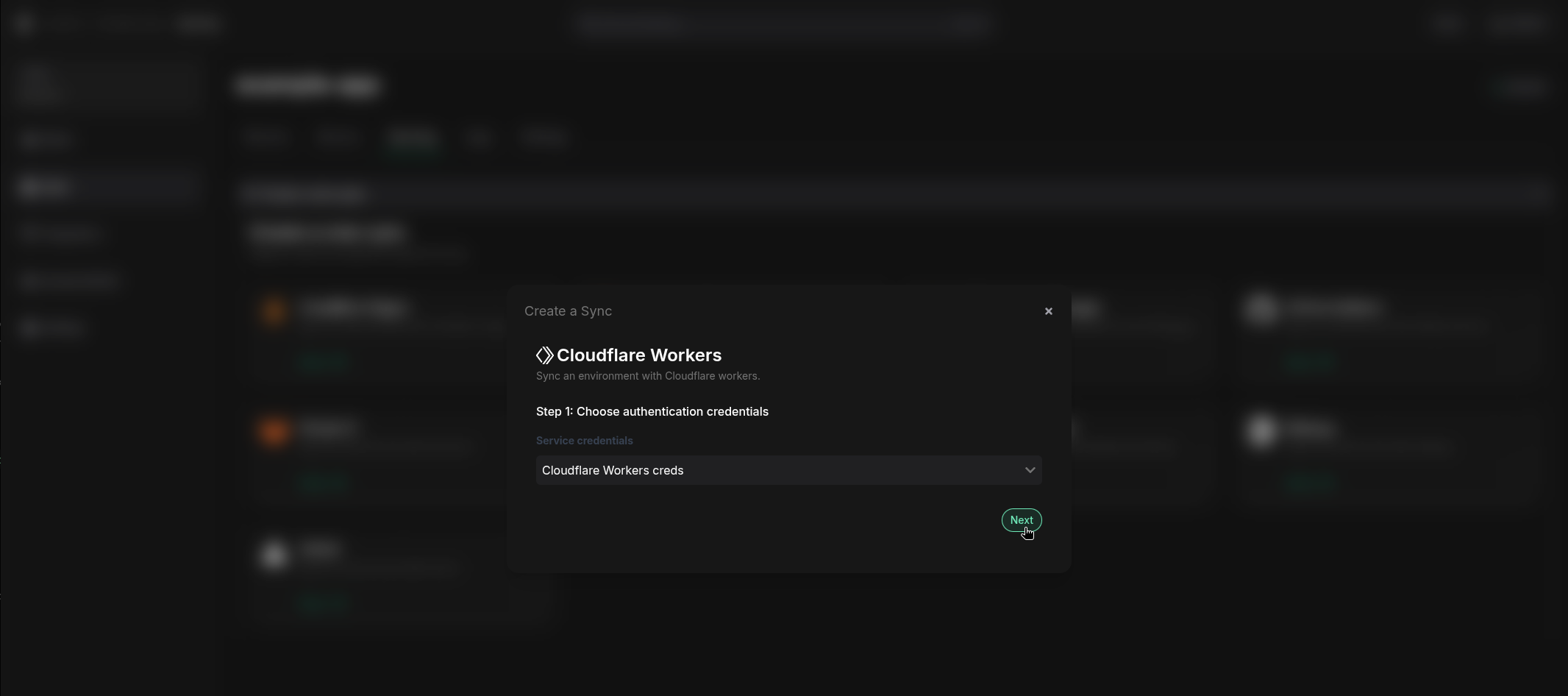
If you see an error message and cannot proceed to the next screen, it is most likely an issue with the Account ID or Access Token. Verify that you created the Cloudflare credentials correctly and update them from the Integrations screen if needed.
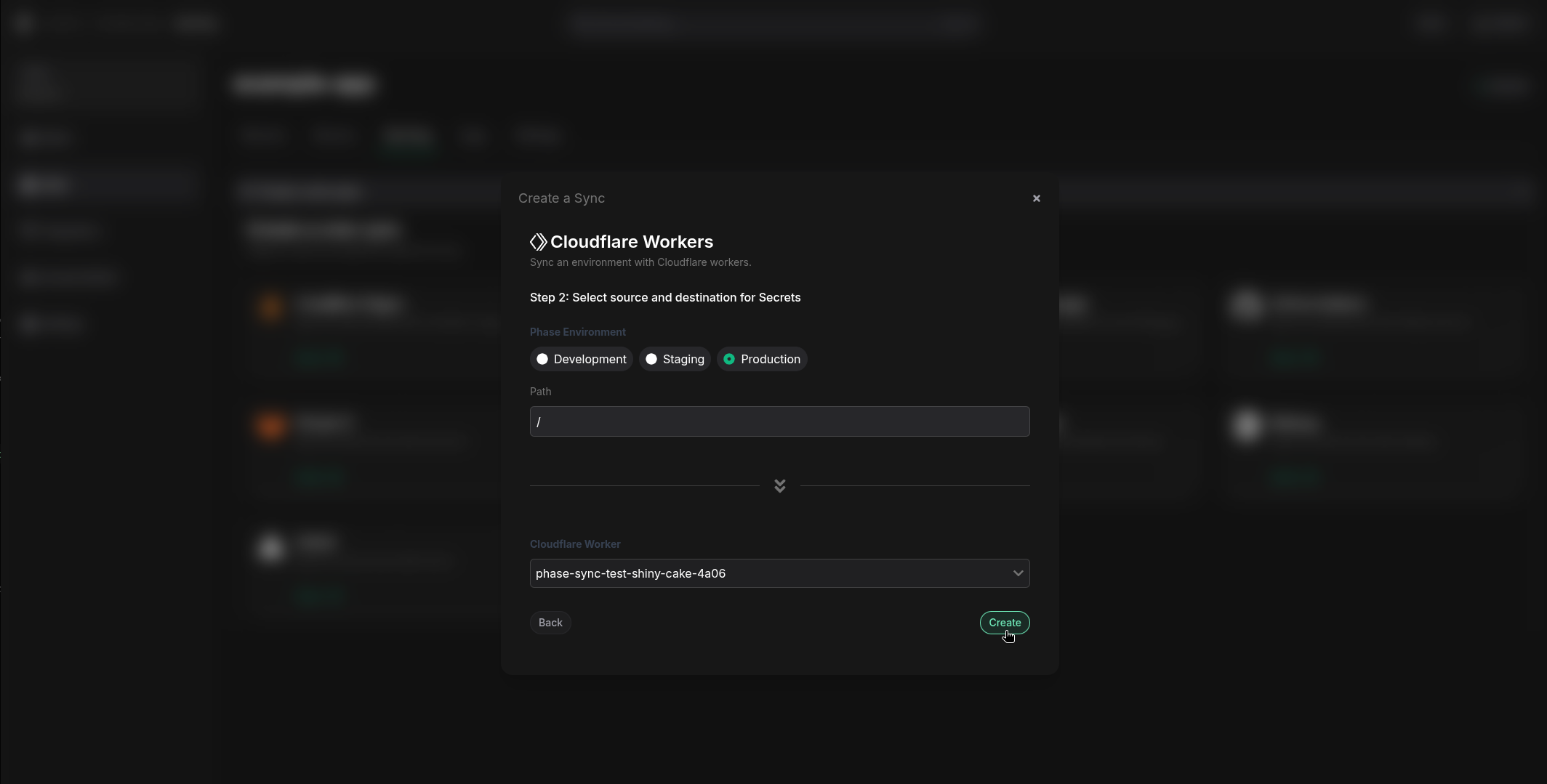
- Choose the source and destination to sync secrets. Select an Environment as the source for secrets along with the Path if you have a specific folder you want to sync from. Next, select your Cloudflare Worker from the dropdown. Once you have selected your desired source and destination, click Create.
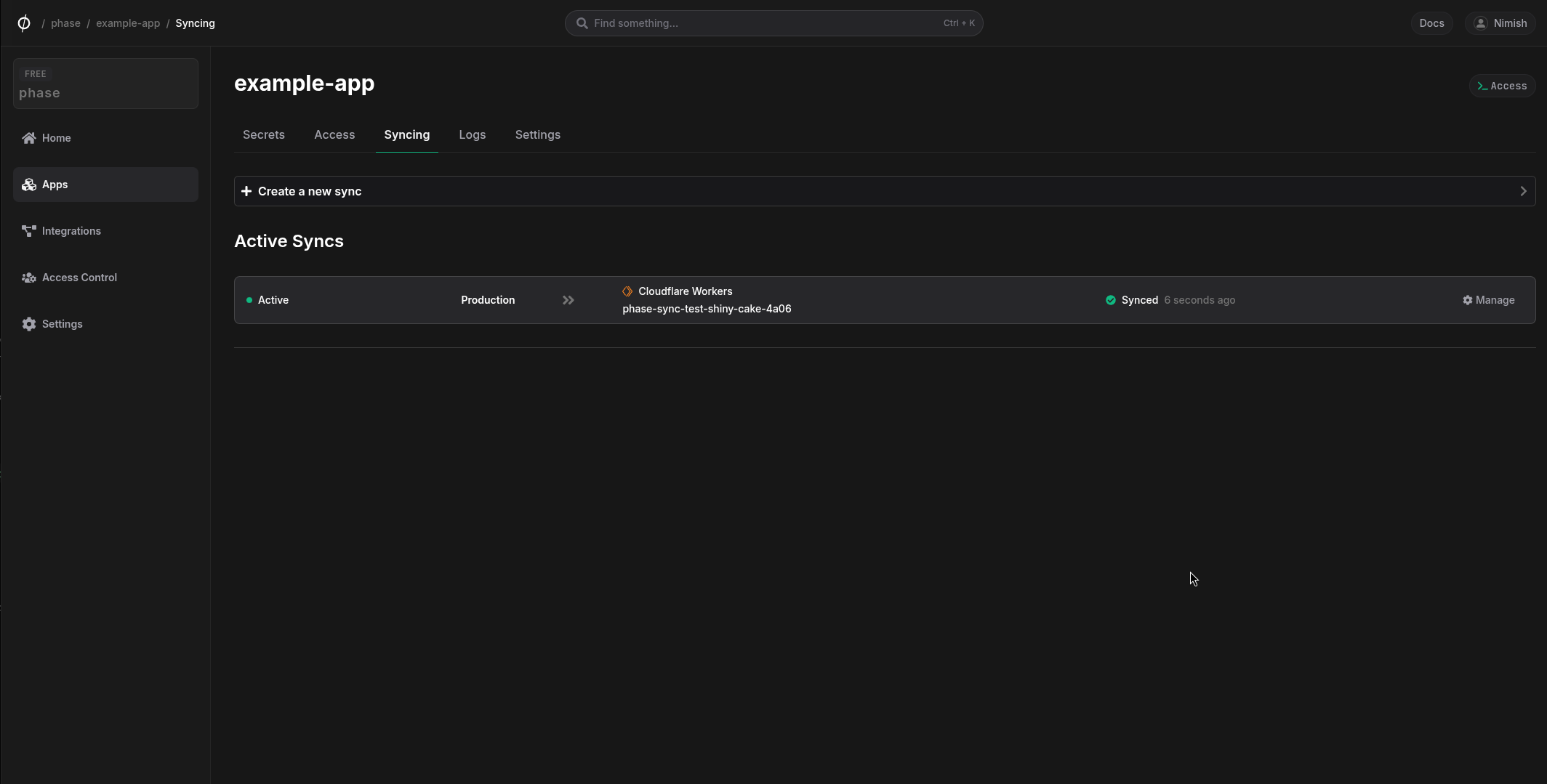
The sync has been set up! Secrets will automatically be synced from your chosen Phase Environment to the Cloudflare Worker instance. You can click on the Manage button on the Sync card to view sync logs, pause syncing or update authentication credentials.
Each time Phase syncs a secret to Cloudflare Worker, a new deployment is triggered. You will see several deployments in the Cloudflare Workers version history tab depending on the number of secrets synced, with the source being labeled as API.
Additionally, Phase will not overwrite or delete existing plain text environment variables. If a variable with the same name already exists on the destination service, the sync will fail with an error message:
{
  "message": "Error syncing secret PLAIN_TEXT_ENVIRONMENT_VARIABLE: {
    "result": null,
    "success": false,
    "errors": [
      {
        "code": 10053,
        "message": "Binding name 'PLAIN_TEXT_ENVIRONMENT_VARIABLE' already in use. Please use a different name and try again."
      }
    ],
    "messages": []
  }",
  "response_code": 400
}
To resolve this, either:
- Delete the existing environment variable from your Cloudflare Workers service, or
- Use a different name for your secret in Phase
You can use the following Cloudflare Worker API example to quickly verify access to your secrets:
/**
 * Test worker to verify environment secrets
 * Returns all bound secrets in a JSON response
 */

export default {
  async fetch(request, env, ctx) {
    // Create an object with all the environment secrets
    const secrets = {
      aws: {
        access_key_id: env.AWS_ACCESS_KEY_ID,
        secret_access_key: env.AWS_SECRET_ACCESS_KEY
      },
      bandwidth: {
        allocation_key: env.BANDWIDTH_ALLOCATION_KEY
      },
      groundstation: {
        certificate_path: env.GROUNDSTATION_CERTIFICATE_PATH,
        private_key_path: env.GROUNDSTATION_PRIVATE_KEY_PATH
      },
      maintenance: {
        mode: env.MAINTENANCE_MODE
      },
      database: {
        postgres_connection: env.POSTGRES_CONNECTION_STRING
      },
      satellite: {
        handoff_key: env.SATELLITE_HANDOFF_KEY
      },
      security: {
        signal_encryption_key: env.SIGNAL_ENCRYPTION_KEY,
        wireguard_key: env.WIREGUARD_KEY
      },
      firmware: {
        update_url: env.FIRMWARE_UPDATE_URL
      }
    };

    // Return the secrets as a JSON response
    return new Response(JSON.stringify(secrets, null, 2), {
      headers: {
        'content-type': 'application/json',
      },
    });
  },
};
This may be useful for verifying the values of the example secrets synced to Cloudflare Workers as they are not visible in the Cloudflare Workers dashboard. Please note this is for testing purposes only.